Only practice managers can add people.
Send an invite
- Go to the Team tab. If you’re on a solo account, press Invite a colleague next to your tabs.
- Under Add someone, enter their name and email.
- Tick Sees patients if they’ll run consults. That’s a paid seat.
- Tick Can manage team & billing if they should be a manager too.
- Press Send invite.
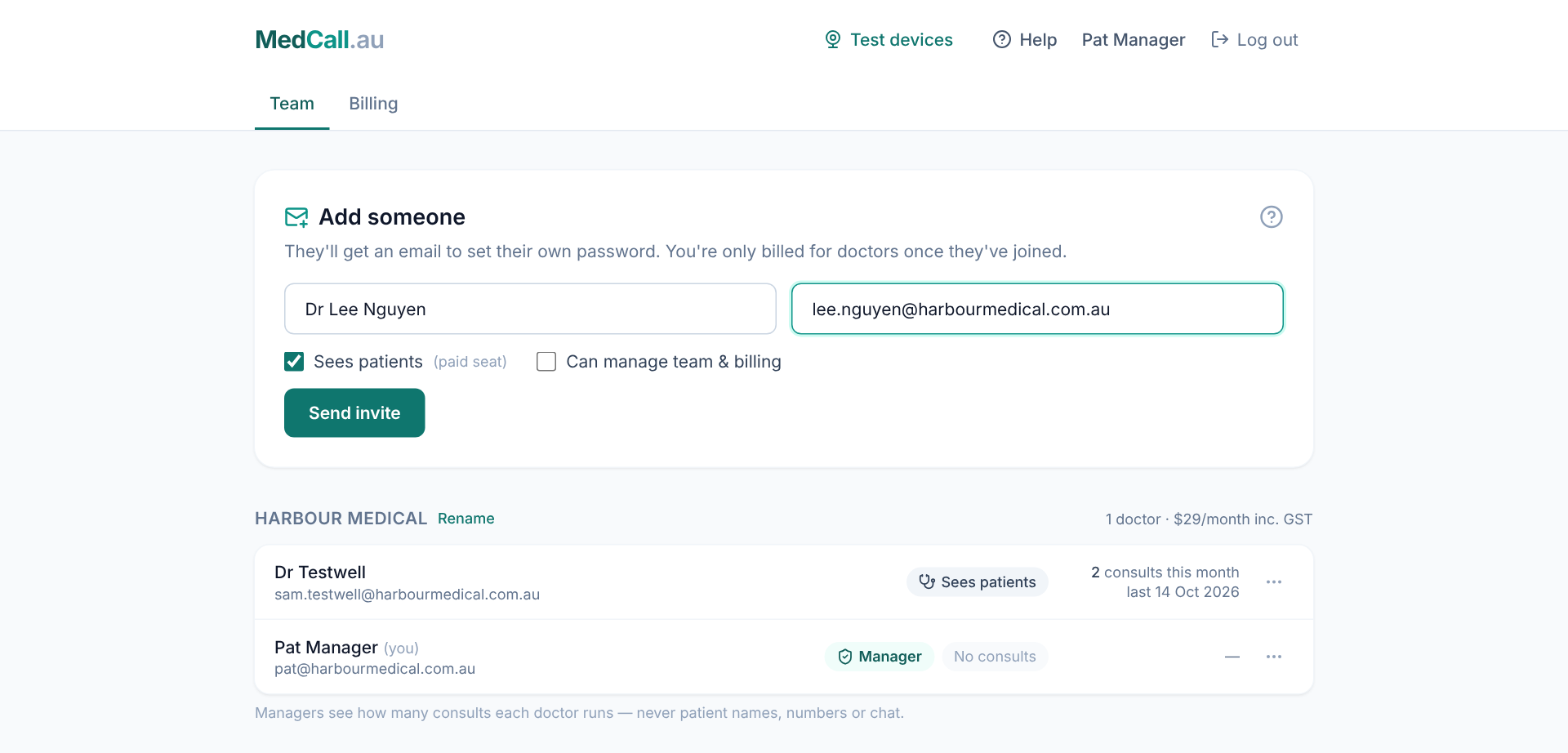
They get an email to set up their login. The link lasts 14 days.
When they accept
New users set their name, the name patients see, their Ahpra number and a password.
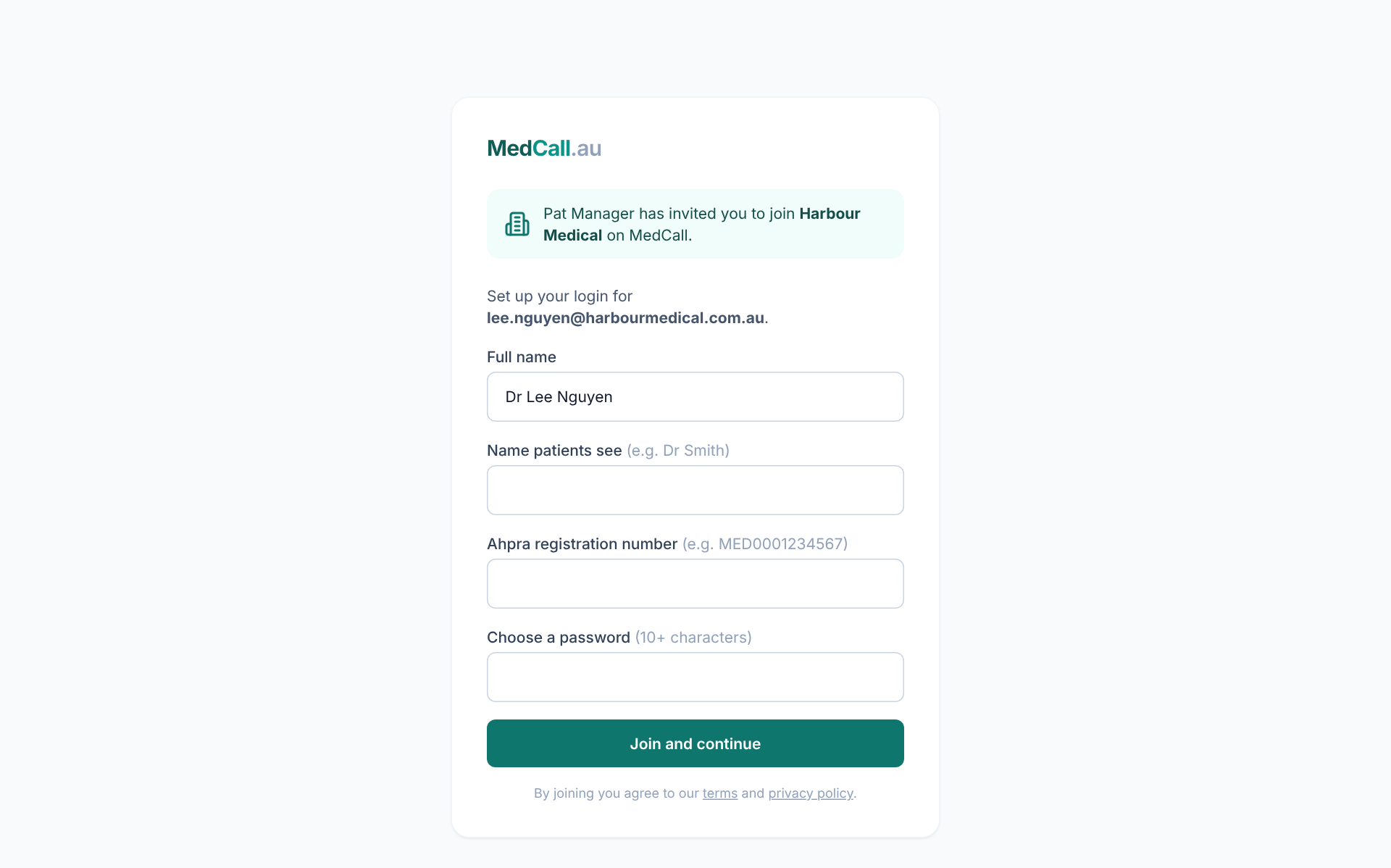 People who already have a MedCall login sign in and accept — their consult history comes with them. See Join a practice when you already have an account.
Your bill updates when they join, not when you invite them.
Invites waiting
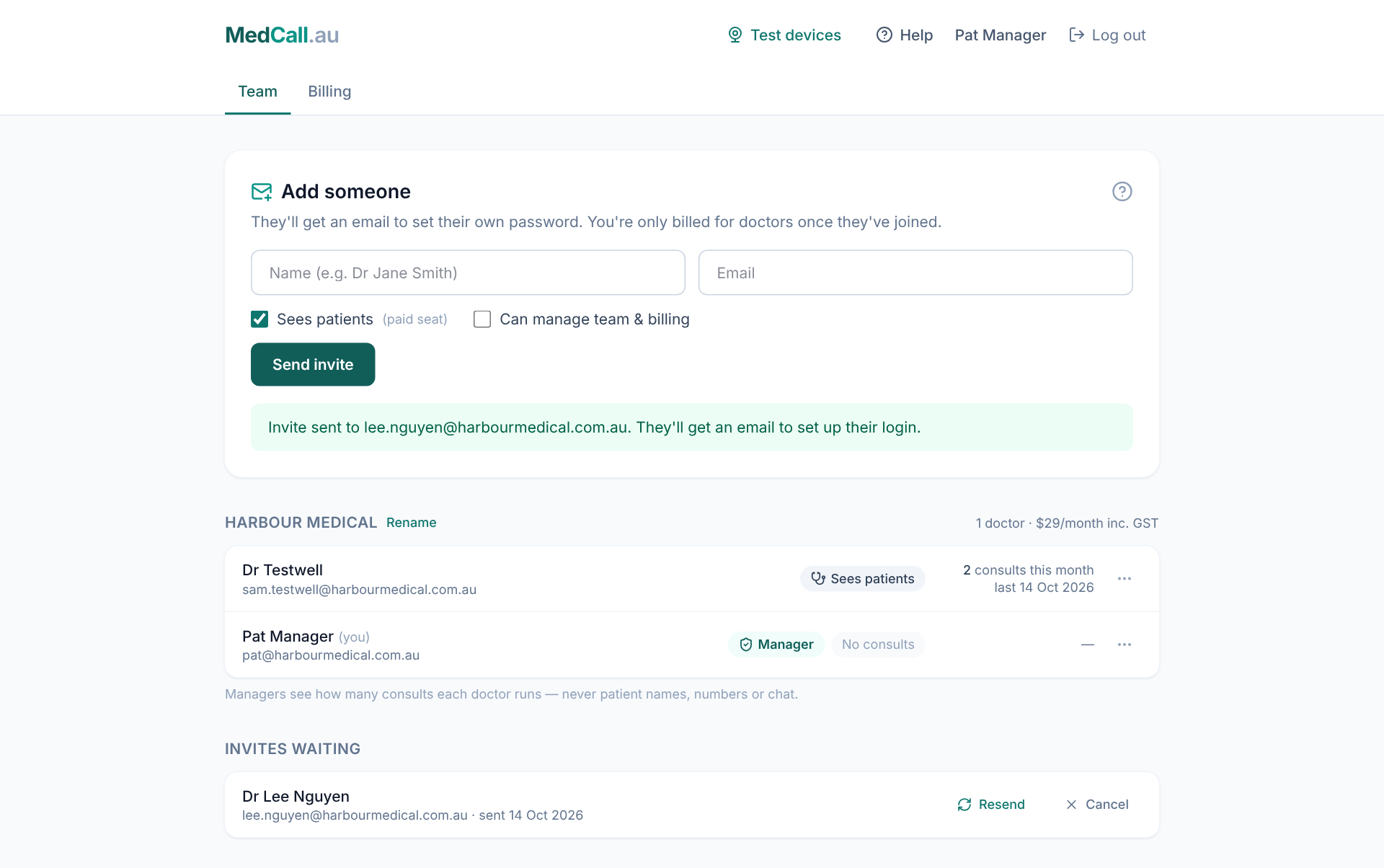
Pending invites are listed on the Team tab. Resend emails a fresh link; Cancel stops the old one working. If our email doesn’t reach them, MedCall gives you the link to send yourself.