Call records
A record of every consult, ready if anyone asks.
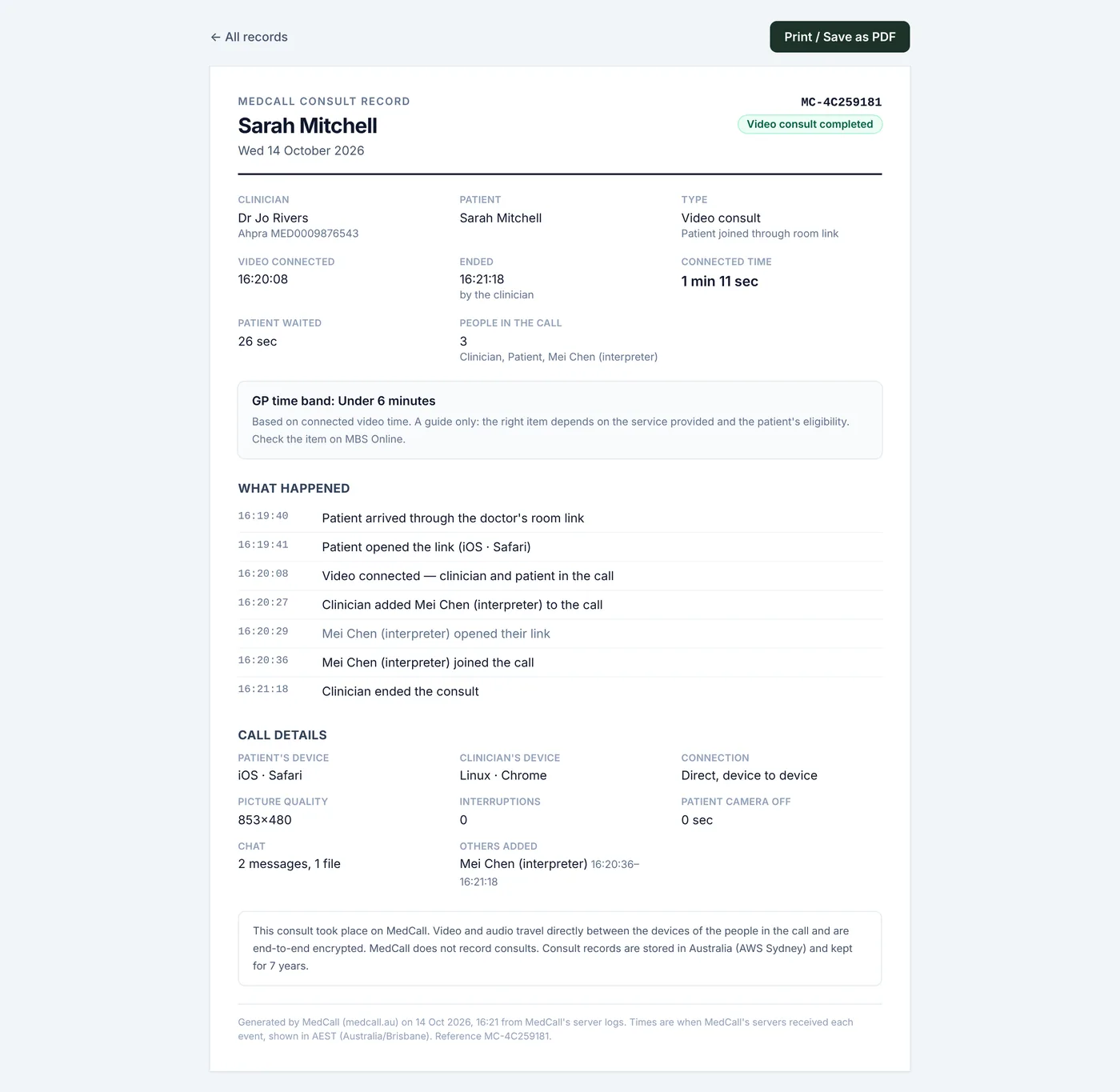
Every consult, in one list
The Records tab lists every consult for the dates you pick. Search by the patient's name, mobile or email. Totals at the top show how many consults you ran, how many completed by video, and your total video time.
- Print all: every record in the range, one per page
- Download the range as a spreadsheet (CSV)
- Open any single record from the list
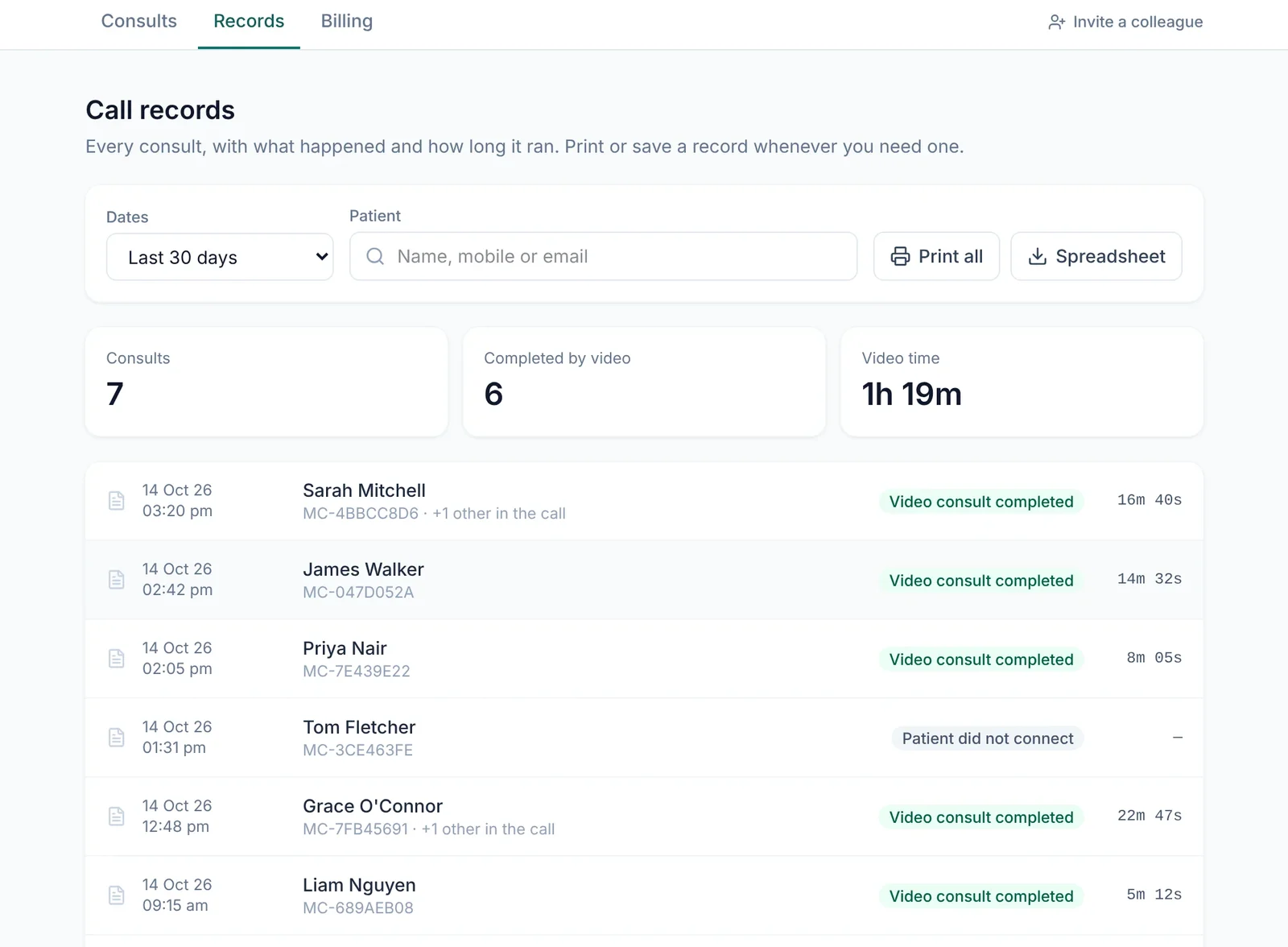
What a record shows
One A4 page per consult. Save it as a PDF to keep with the patient's notes.
- The patient, and your name, Ahpra number and provider number
- How the link was sent, and when the patient opened it
- When video connected, when it ended and who ended it
- Connected time, and how long the patient waited
- Everyone in the call, with the times they joined and left
- Camera or mic switched off, interruptions, people added or removed
- Each person's device, the connection type, picture quality and chat counts
Why it matters
Medicare can ask for documents about services claimed in the last two years. Your clinical notes stay the main record. MedCall's record backs them up with server timestamps showing when the consult happened, that it was by video, and how long video was connected.
For GPs, the record also shows which time band the connected time falls into. It's a guide only: the right item depends on the service you provided and the patient's eligibility. More on our Medicare & compliance page.
Good to know
Timestamped by our servers
Only you can see them
Kept for 7 years
A log, not a recording
Calls nobody hung up
Room links too
Questions
Does this replace my clinical notes?+
No. Your notes in your practice software remain the clinical record. A MedCall record backs them up with the facts of the call itself.
Can a practice manager print records for a doctor?+
No. Only the doctor who ran the consult can see or print its record. Managers see how many consults each doctor runs, never patient details.
Does the record tell me which item number to bill?+
For GPs it shows the time band the connected time falls into, as a guide. It doesn't choose an item for you: that depends on the service you provided and the patient's eligibility.
Do I need to switch anything on?+
No. Every consult on MedCall gets a record automatically.
More of what MedCall does
See your patients today.
1-month free trial, no card needed. Your first consult is one message away.
Start free trial