No-app video consults
Video consults with nothing to install.
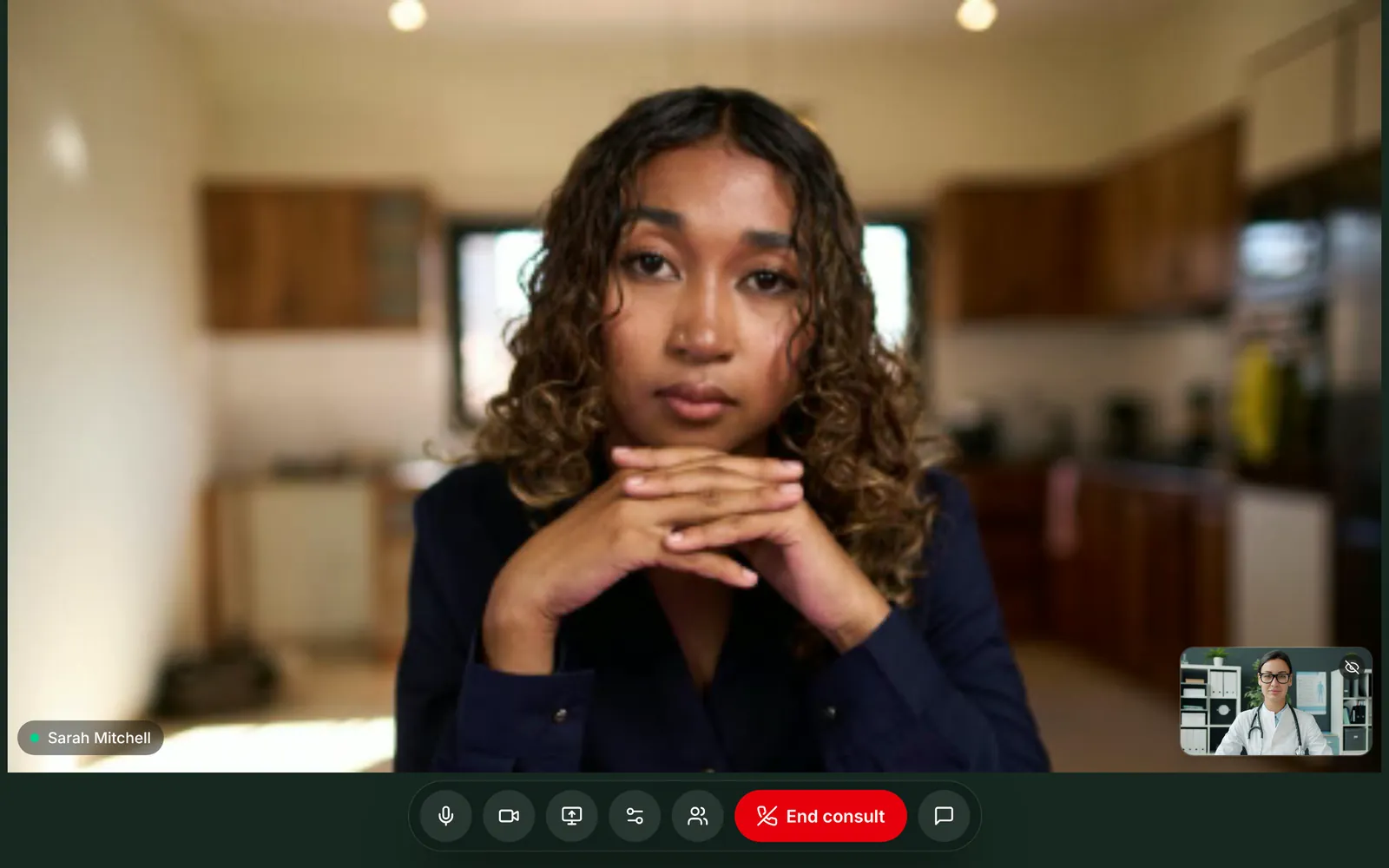
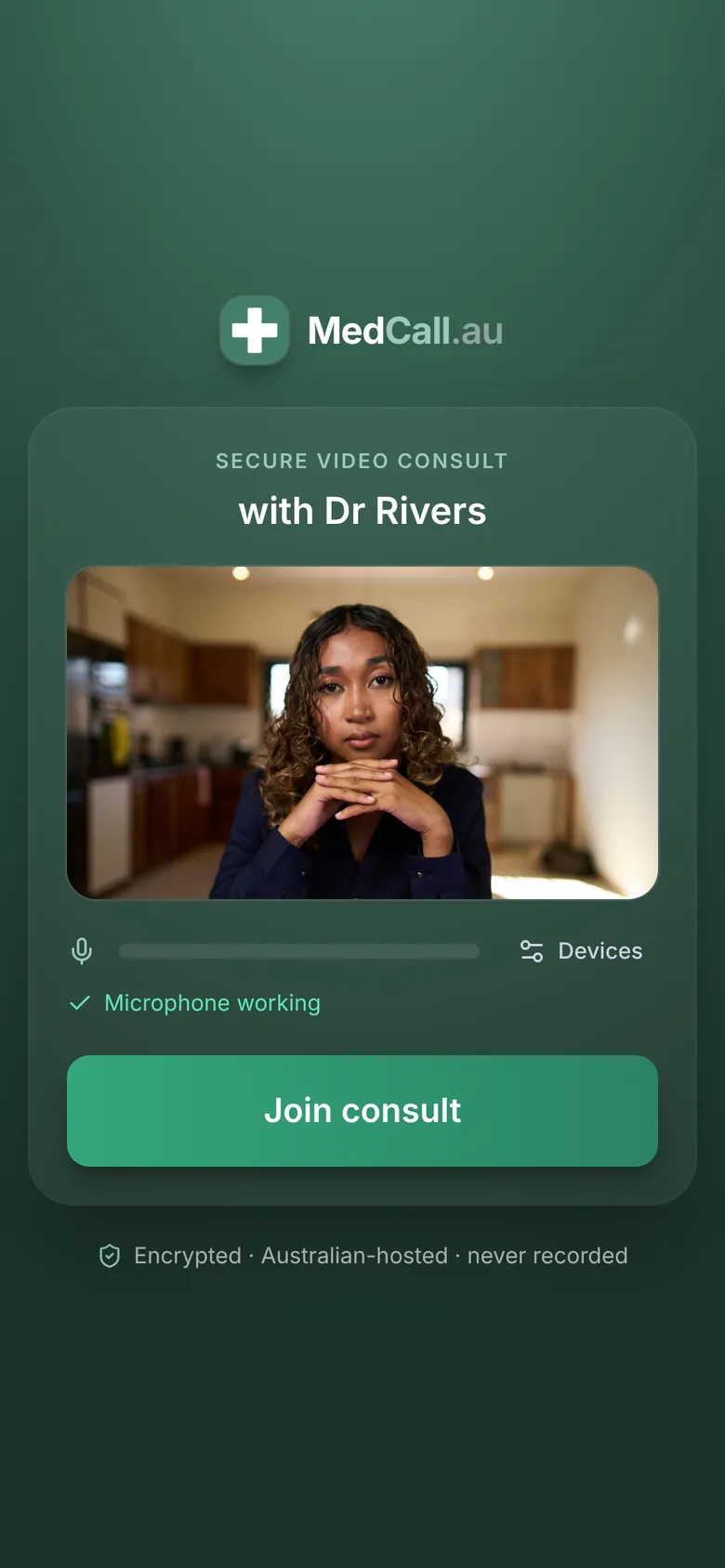
Send the link by text, email or both
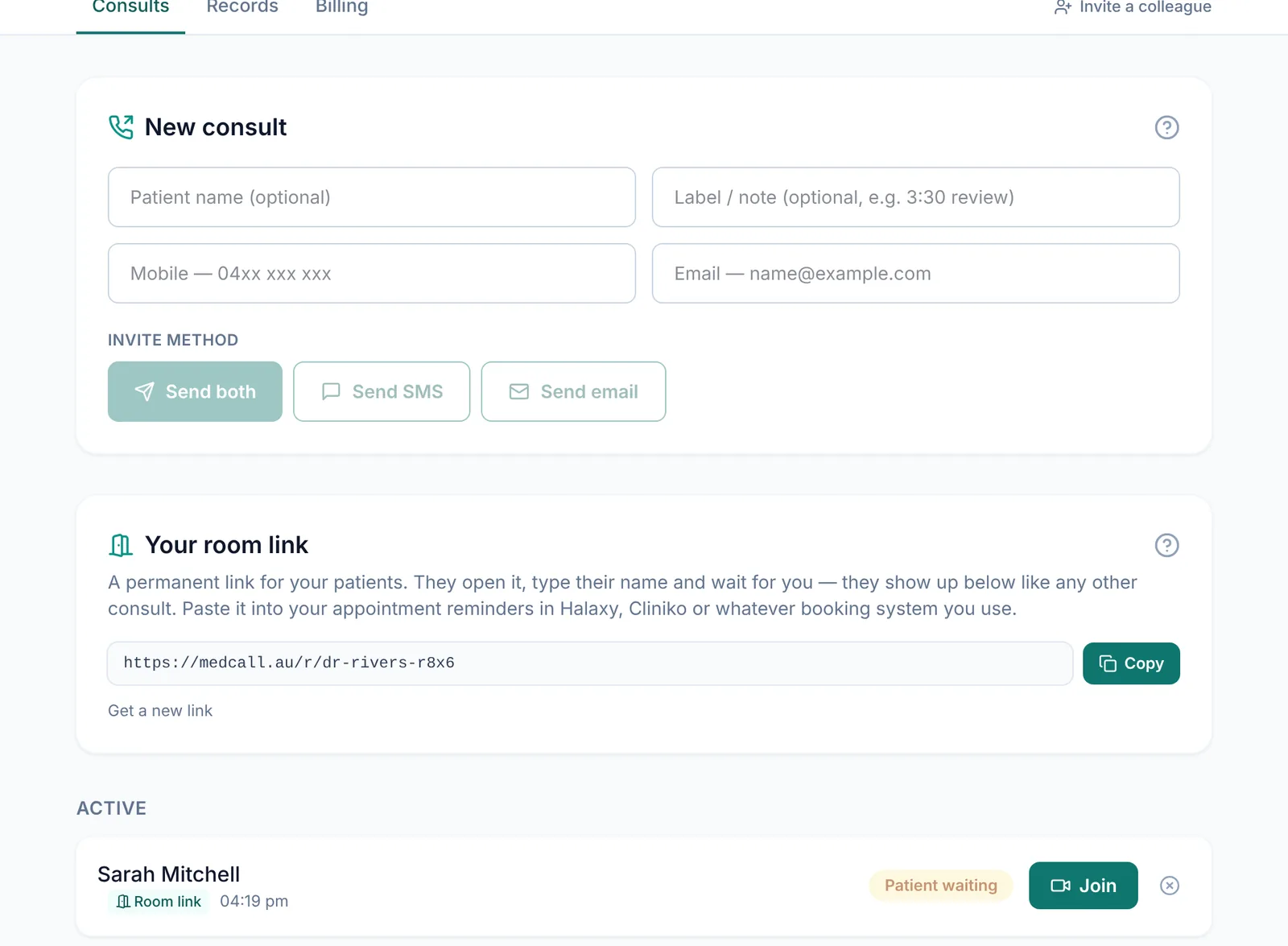
On the Consults tab, type the patient's mobile, email or both, then press Send. The message comes from MedCall with your name and a secure link. Add the other channel later and it goes to the same consult, with the same link.
- SMS and email invites are included in the price
- Add a name and a note so you know who's who
- Resend with one tap if they can't find it
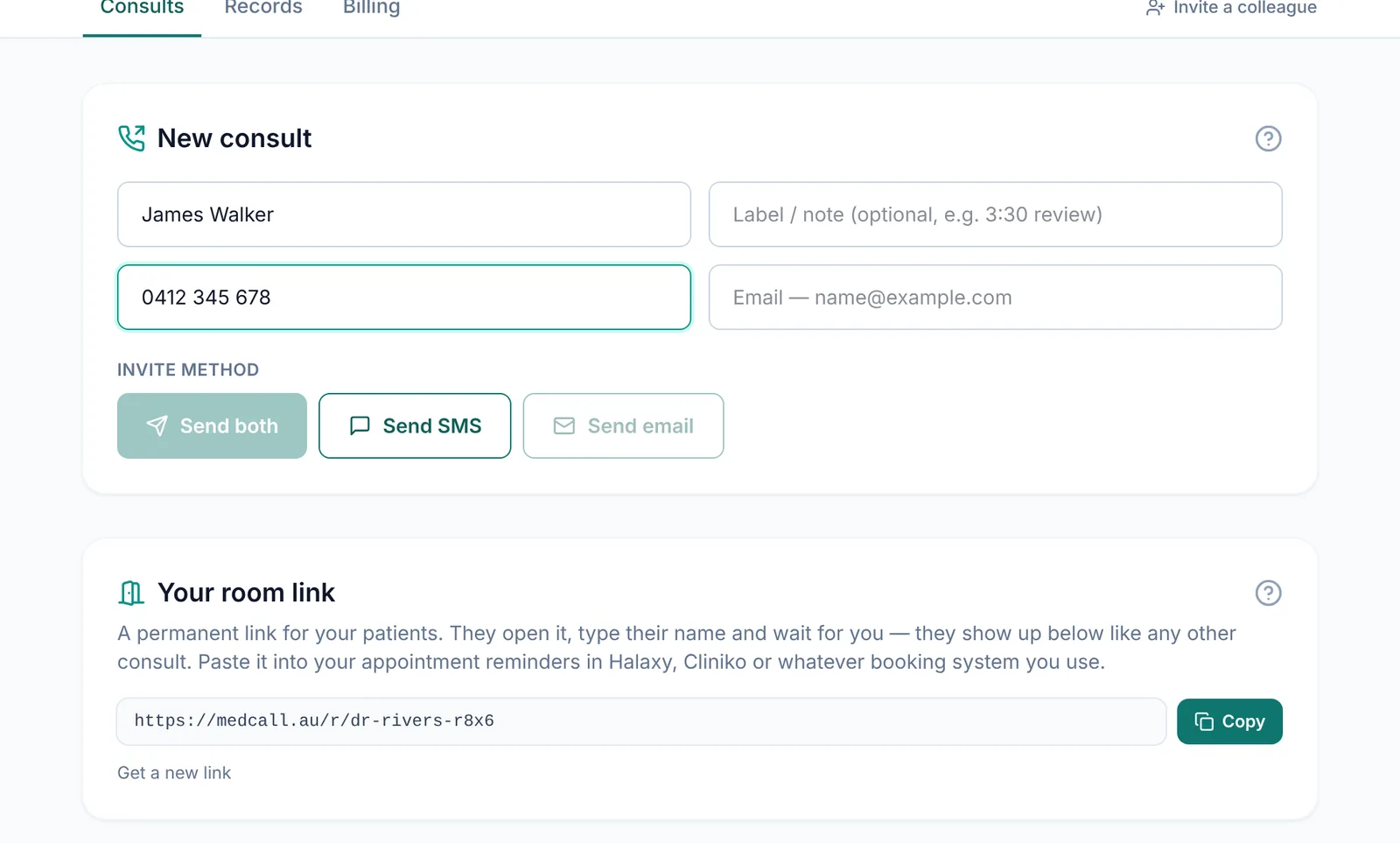
Your patient taps it and joins
The link opens in Safari, Chrome or whichever browser they use. They allow the camera and microphone, see a preview of themselves and press Join consult. Then they wait in your waiting room until you come in.
- No app store, no account, no password
- Works on iPhone, Android, tablets and computers
- Warns them if they've opened it inside Facebook or another app's browser
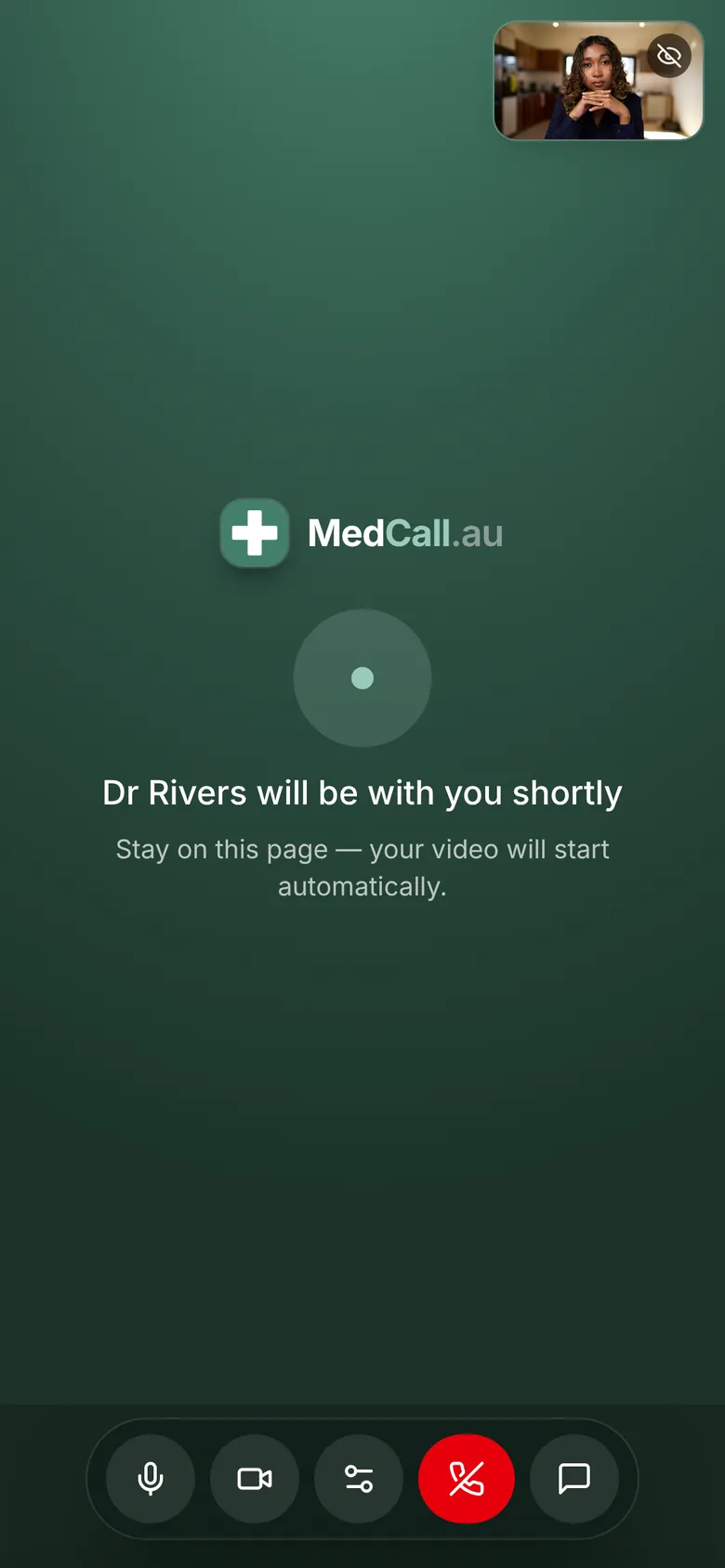
You join when you're ready
Your dashboard shows the moment a patient is waiting and plays a chime. Press Join and you're in. Video and audio go directly between your browser and theirs, end-to-end encrypted, and nothing is recorded.
- The tab title flashes “Patient waiting” if you're working in another tab
- Reconnects on its own if the connection drops
- If the patient switches devices, the call moves to the newest one
Good to know
Links expire
Encrypted, never recorded
Hosted in Sydney
Check a device first
Picture quality adapts
Registered clinicians only
Questions
Does my patient need to download anything?+
No. The link opens in the browser already on their phone, tablet or computer, straight into a camera preview and a Join button.
Is SMS included?+
Yes. SMS and email invites are included in the per-doctor monthly price, with unlimited consults.
What if the patient's camera or microphone doesn't work?+
Most problems are camera or microphone permissions in the browser. Our help centre has step-by-step fixes for iPhone and Android, and medcall.au/test lets a patient check their device before the appointment.
How long does a link last?+
24 hours, or until the consult is ended or cancelled. For booked appointments, a permanent room link can go out with your reminders instead.
More of what MedCall does
See your patients today.
1-month free trial, no card needed. Your first consult is one message away.
Start free trial