Everyone in a practice has their own login. There are two things you can be, and someone can be both.
Doctor (sees patients)
- Runs their own consults from the Consults tab.
- Sees only their own consults and patients.
- Takes up a paid seat.
Manager
- Adds and removes people on the Team tab.
- Looks after the subscription on the Billing tab.
- Sees how many consults each doctor has run this month and when they last ran one.
- Never sees patient names, numbers, emails, chat or files from anyone else’s consults.
A manager who doesn’t see patients doesn’t take up a paid seat.
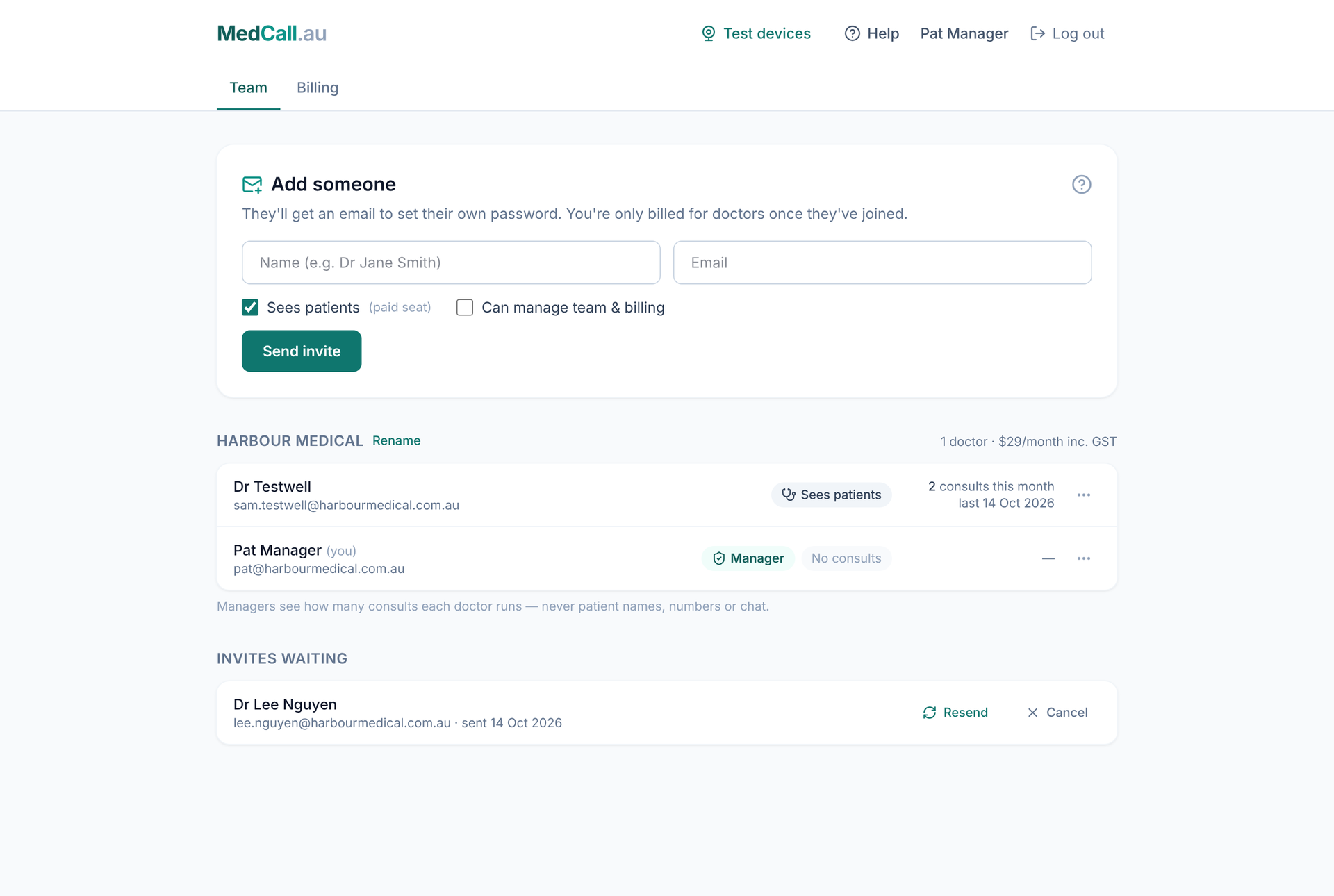
Changing someone’s role
On the Team tab, press ⋯ next to a person:
- Make a manager / Remove manager access
- Switch on consults (you’ll need their Ahpra number) / Switch off consults
A practice always needs at least one manager, so the last manager can’t be removed.